
We do photos.
How to Share Photos from iPhone to Android Without Losing Quality
Updated November 24, 2026
The easiest way to share photos from iPhone to Android without losing quality is a shared album in Albumer. Make an album, invite the other person, and add your photos. Albumer is the same free app on iPhone and Android, it keeps the size your photos were taken at, and it works both ways.
Why photos look worse when you text them
When you text a photo from an iPhone to an Android phone, the photo can be shrunk on the way, depending on your phones and your carrier. AirDrop only works between Apple devices. A shared album avoids both problems: the photo goes into the album at full size, and the other person opens it from there.
How to share photos from iPhone to Android with Albumer
- Download Albumer from the App Store and make a free account.
- Make an album and give it a name.
- Tap Invite and pick the person from your contacts, or type their email. You can also show them the album's QR code.
- They install Albumer from Google Play, sign in, and land in your album.
- Tap Add photos and choose the photos and videos you want to share.
To keep a photo on their phone, they open it and tap Save to phone. They can also save the whole album with Save album to phone.
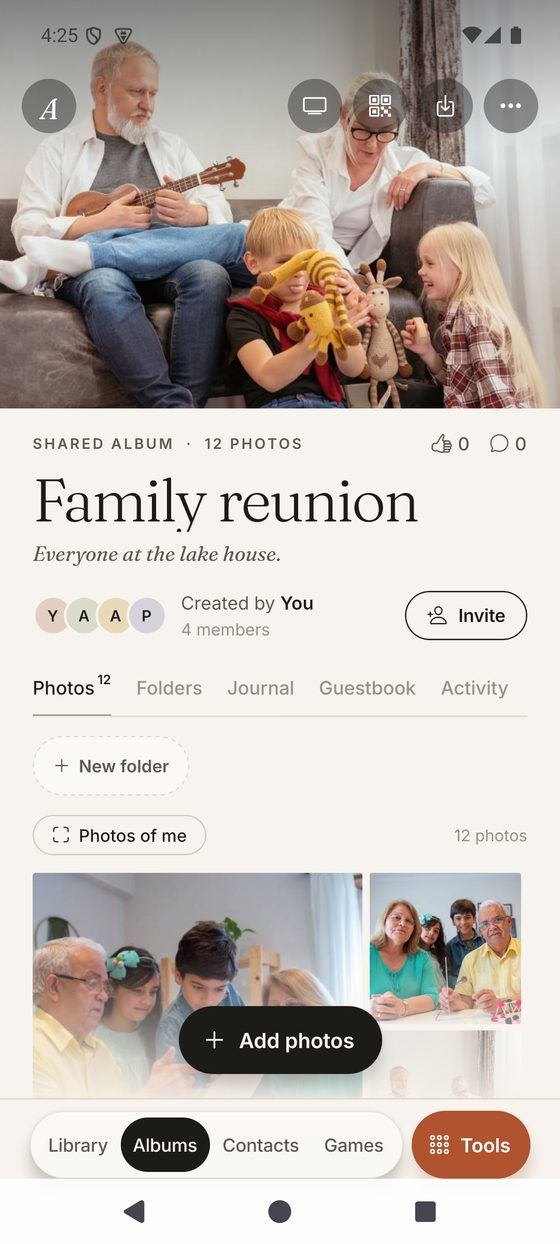
From Android to iPhone
It works the same way in the other direction. Make the album on your Android phone, invite the person with the iPhone, and add your photos. Anyone in the album can add photos from their own phone, so an album can hold everyone's photos from a trip, a party or a family weekend.
Albumer keeps your photos full size
Albumer keeps the size your photos were taken at. There is an optional setting that saves space with a lower quality, and you choose whether to use it. On Albumer Free, videos can be up to 3 minutes each. On Albumer Basic and Premium, videos can be up to 5 GB each (about 35 minutes of HD).
Ways to share between iPhone and Android
| Way to share | iPhone to Android | Photo size | Good for |
|---|---|---|---|
| Albumer shared album | Yes, both ways | The size they were taken at | A few photos or a whole album, with one person or a group |
| Text message | Yes | Can be shrunk, depending on phones and carrier | One quick photo |
| AirDrop | No, Apple devices only | Full size | Sharing between iPhones |
Share with a whole group
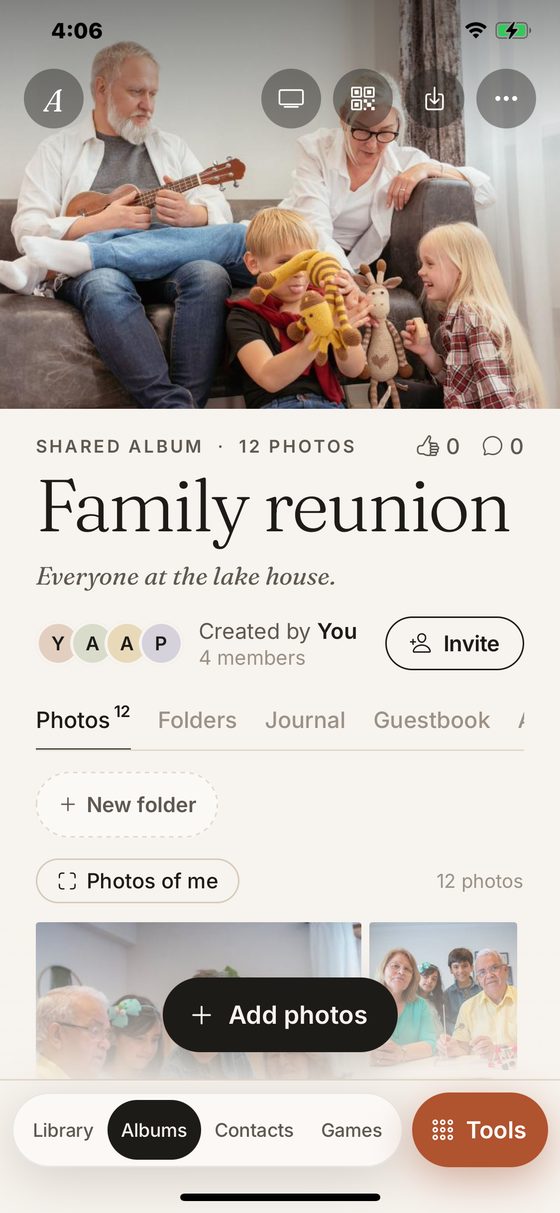
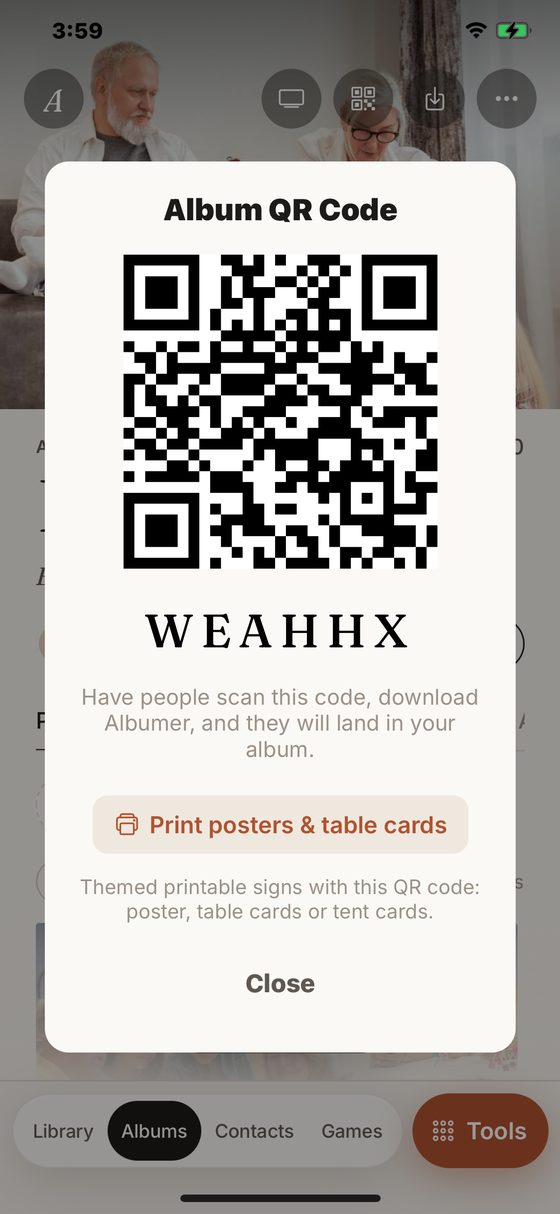
- Invite anyone. Invite people by email, text, QR code or from your phone contacts.
- Everyone adds their own. Each person adds photos and videos from their own phone.
- Comments and likes. Talk about the photos right in the album.
- Cast to TV. Play the album as a slideshow on any TV with a web browser.
More guides
- A cheaper alternative to iCloud for photos
- Albumer vs iCloud Shared Albums
- Albumer vs Google Photos Shared Albums
Frequently asked questions
Can you share photos between iPhone and Android?
Yes. Make a shared album in Albumer and invite the other person. Albumer is the same free app on iPhone and Android, so everyone in the album sees the same photos and videos, whatever phone they use.
How do I send photos from iPhone to Android without losing quality?
Put the photos in a shared Albumer album instead of texting them. Albumer keeps the size your photos were taken at, and the person on Android can save the full-size photos to their phone.
Does it work from Android to iPhone too?
Yes. It works the same in both directions. Anyone in the album can add photos from their own phone, and everyone else sees them.
Can I share videos between iPhone and Android?
Yes. On Albumer Free, videos can be up to 3 minutes each. On Albumer Basic and Premium, videos can be up to 5 GB each (about 35 minutes of HD).
Does the other person need the Albumer app?
Yes. They install Albumer for free from Google Play or the App Store, and they land in your album when they sign in.
Is Albumer free?
Yes. Albumer Free gives you 5 GB of storage with ads, and you can make and share albums with it. Paid plans add more storage, no ads and more photo tools.