
We do photos.
Phone Storage Full? How to Free Up Space Without Losing Your Photos
Updated November 24, 2026
If your phone storage is full of photos and videos, copy them to Albumer first. Albumer keeps them at full quality and tells you when they are in Albumer. Then you delete them from your phone yourself and empty Recently Deleted. Albumer never deletes anything from your phone.
Check what is using your space
On iPhone, open Settings, then General, then iPhone Storage. You will see how much space Photos uses. For most people, photos and videos are the biggest part, and videos use far more space than photos.
How to copy your photos to Albumer
- Download Albumer from the App Store or Google Play and make a free account.
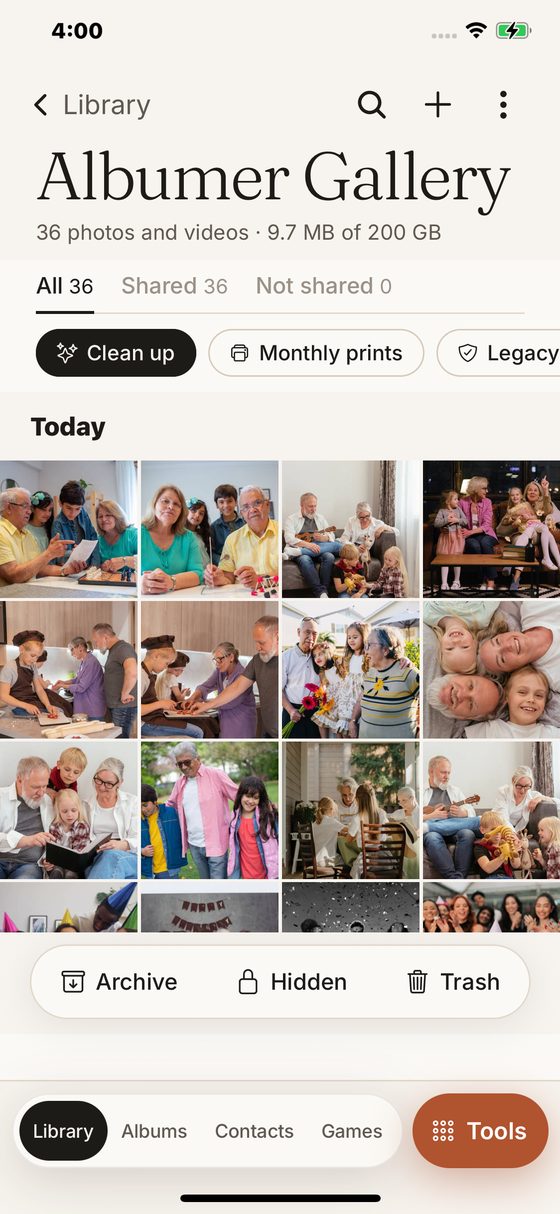
- Open Albumer and tap Your Gallery.
- Tap the plus button.
- Choose the photos and videos you want, then tap Copy.
- Wait for Albumer to tell you your photos are in Albumer.
Then free up the space
- Open the Photos app and delete the photos and videos you copied.
- Open the Recently Deleted album and delete them there too. Until you do, they keep using space for 30 days.
- Check Settings, General, iPhone Storage again to see the space you got back.
If you use iCloud Photos: deleting a photo on your iPhone also deletes it from iCloud and your other Apple devices. Make sure your photos are in Albumer before you delete anything.
Your photos stay full quality
Albumer keeps the size your photos were taken at. There is an optional setting that saves space with a lower quality, and you choose whether to use it. On Albumer Free, videos can be up to 3 minutes each. On Albumer Basic and Premium, videos can be up to 5 GB each (about 35 minutes of HD).
How much space you get
| Albumer Free | Albumer Basic | Albumer Premium | |
|---|---|---|---|
| Price | $0 | $9.99 a year | $29.99 a year |
| Storage | 5 GB | 50 GB | 200 GB |
| Ads | With ads | No ads | No ads |
US prices. Storage sizes depend on your country. Paid plans are billed once a year and renew until you cancel.
More ways to save space
- Look at your videos first. A few long videos can use more space than thousands of photos.
- Delete screenshots you no longer need. They add up fast.
- Clear old message attachments. Photos and videos people sent you in messages use space too.
More you can do with your photos in Albumer
- Shared albums. Invite family and friends and everyone adds their own photos.
- Cast to TV. Play an album as a slideshow on any TV with a web browser.
- Prints. Order prints from the Walgreens nearest you and pick them up at the store.
More guides
- A cheaper alternative to iCloud for photos
- How to share photos from iPhone to Android without losing quality
Frequently asked questions
How do I free up space on my iPhone without losing photos?
Copy your photos and videos to Albumer first. When Albumer tells you your photos are in Albumer, delete them from your phone yourself, then empty the Recently Deleted album in Photos.
Does Albumer delete photos from my phone?
No. Albumer copies your photos and never deletes anything from your phone. You decide what to delete, and when.
Why is my storage still full after deleting photos?
Deleted photos stay in the Recently Deleted album in the Photos app for 30 days and still use space. Open Recently Deleted and delete them there to get the space back.
I use iCloud Photos. Can I delete photos from my iPhone?
Be careful. With iCloud Photos on, deleting a photo on your iPhone also deletes it from iCloud and your other Apple devices. Make sure your photos are in Albumer before you delete anything.
How much storage does Albumer have?
Albumer Free gives you 5 GB with ads. Albumer Basic is $9.99 a year for 50 GB and Albumer Premium is $29.99 a year for 200 GB, both with no ads. These are US prices.
Does this work on Android?
Yes. Albumer is the same app on iPhone and Android, so you can copy photos from either phone and then free up space.
Albumer prices come from the App Store and Google Play, checked November 24, 2026. Prices can change, so check before you decide.