
We do photos.
Make a Video from Photos with Music
Updated November 24, 2026
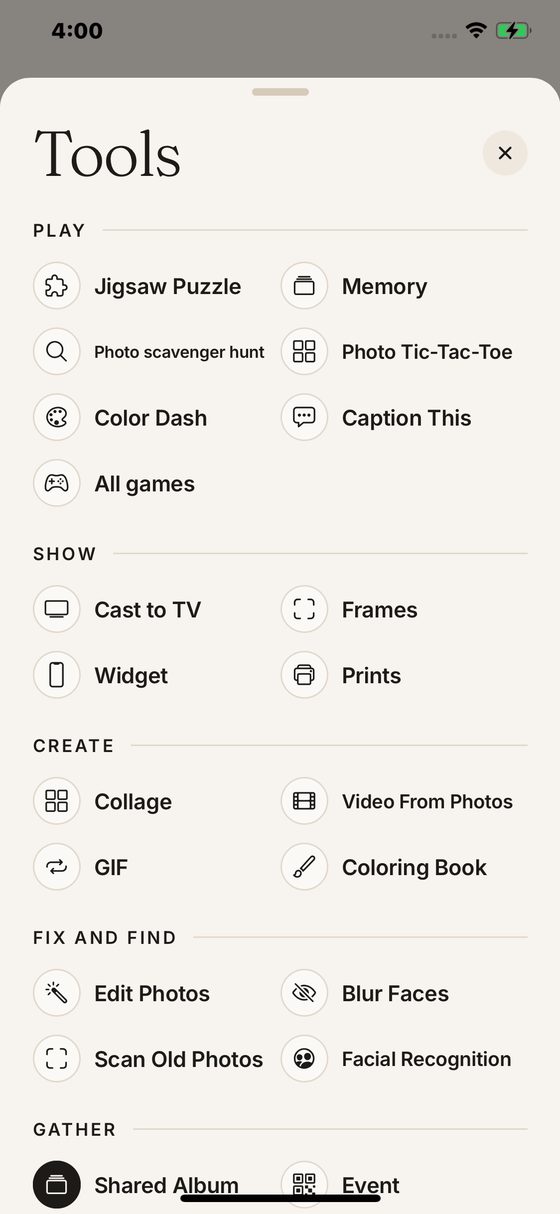
To make a video from photos on your phone, open Albumer, tap Tools, then Video From Photos. Choose your photos and video clips, pick a song, a look and a shape, and tap Make the video. The video is made on your phone in a few moments, and you can save it, share it or add it to an album. Video From Photos is part of Albumer Basic and Premium.
How to make a video from photos with music
- Download Albumer from the App Store or Google Play.
- Open Tools and tap Video From Photos.
- Choose your photos and video clips. Tap Best picks to skip near-duplicate shots.
- Pick a song, a length, a shape and a look.
- Tap Make the video.
- Save to phone, share it, or save it to an album.
What you can change
| Option | Choices |
|---|---|
| Music | Songs built into Albumer, a song from your phone, or no music |
| Length | 15 to 60 seconds, or follow the song |
| Shape | Stories (9:16), Feed (1:1), TV (16:9) |
| Transition | Crossfade, Slide, Zoom cut, Hard cut |
| Look | As shot, Film, Warm, Black and white |
| Frame | Full picture or Polaroid |
| Extras | Title card at the start, captions or dates on photos, a voice-over, keep faces in frame |
Ideas for photo videos
- Birthday montage. A year of photos set to an upbeat song.
- Trip recap. Photos and clips from a vacation for your Stories.
- Wedding or party. Make a video from the album everyone added to and play it on the TV.
- Memorial or anniversary. Old family photos with a slow song and a title card.
- Sports season. The team's best moments for the end-of-season party.
Plans
Video From Photos is part of Albumer Basic ($9.99 a year, 50 GB) and Albumer Premium ($29.99 a year, 200 GB), with no ads and the other photo tools: Edit Photos, Collage, GIF, Coloring Book, Scan Old Photos, Blur Faces, Facial Recognition, Send a Link and Disposable Camera. US prices.
More you can make from your photos
- GIF. Make a moving GIF from photos or a video.
- Collage. Put several photos on one page.
- Coloring Book. Turn a photo into a coloring page.
- Jigsaw puzzles. Send a photo as a puzzle someone has to solve.
More guides
- Turn a photo into a coloring page
- Make a jigsaw puzzle from a photo
- How to get photos from wedding guests with a QR code
Frequently asked questions
How do I make a video from photos on my phone?
In Albumer, open Tools, tap Video From Photos, choose your photos and video clips, pick a song and a look, and tap Make the video. You can save it to your phone, share it, or save it to an album.
Can I add music?
Yes. Pick one of the songs built into Albumer, or a song from your phone. You can also record a voice-over.
How long can the video be?
Pick a length from 15 to 60 seconds, or let the video follow the length of the song.
Can I make a video for Instagram Stories or a TV?
Yes. Pick Stories (9:16) for Stories and Reels, Feed (1:1) for a square post, or TV (16:9) for a TV or laptop.
Can I mix photos and video clips?
Yes. Each clip plays for 3 seconds and the photos share the rest of the time.
Is it free?
Video From Photos is part of Albumer Basic and Premium. Albumer Free includes shared albums, your Gallery and the photo games.
Albumer prices come from the App Store and Google Play, checked November 24, 2026. Prices can change.