 Albumer
We do photos.
Store them, share them with a QR code, edit them, print them, put them on your TV and play games with them. All in one app for iPhone and Android.
Albumer is a free photo sharing app for iPhone and Android. Make an album, invite your people, and everyone adds their photos at full size. Then play games with them, put them on the TV, print them at Walgreens, and keep all your photos in one place.


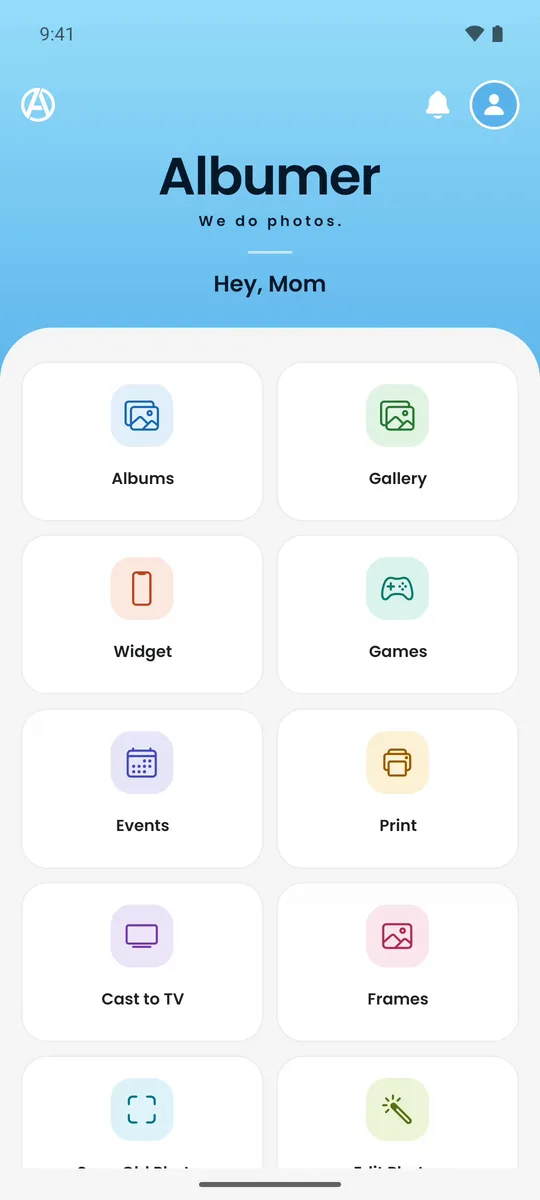
Everything you do with photos, in one place.
PRO features come with Albumer Basic or Premium. Everything else is free.
Gallery
Keep the photos and videos from your phone in Albumer at full size.
📚Shared albums
Everyone you invite adds their own photos and videos.
🎉Events
Printable QR code signs and guest list invites.
✨Photo editingPRO
Crop, straighten, mark up, remove backgrounds and blur faces.
📺Cast to TV
Play an album as a slideshow on any TV with a web browser.
🖼Frames
Send photos to Aura, Skylight and other frames with an email address.
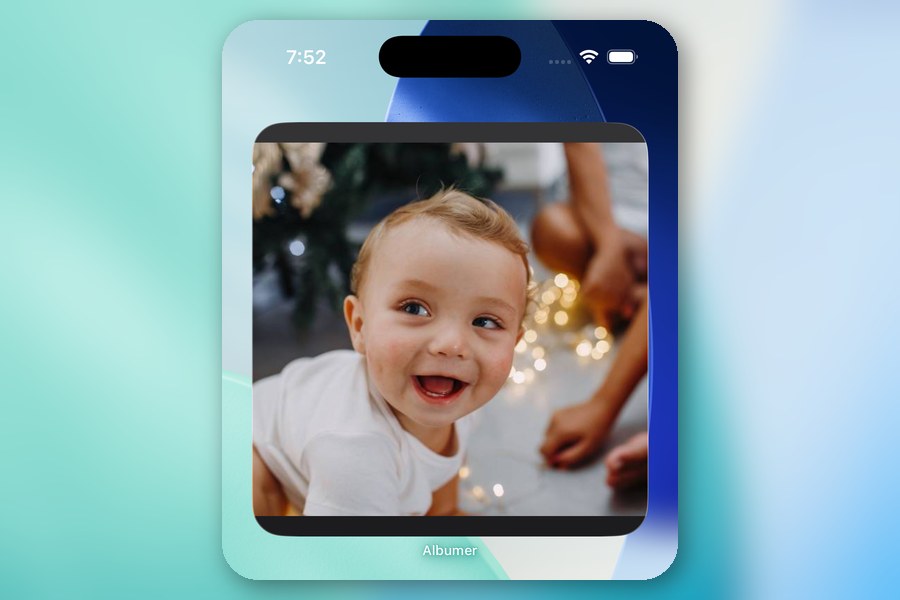
📱Widget
Photos from an album on your iPhone or Android home screen.
🎮Games
Puzzles, Memory, Photo Tic-Tac-Toe, a photo scavenger hunt and more.
🖨Prints
Order prints in the app and pick them up at Walgreens.
📷Scan Old PhotosPRO
Scan printed photos with your camera, straight into Albumer.
🎬Video From PhotosPRO
Turn photos and clips into a video, with music.
👤Facial RecognitionPRO
Your photos grouped by the people in them, on your phone.
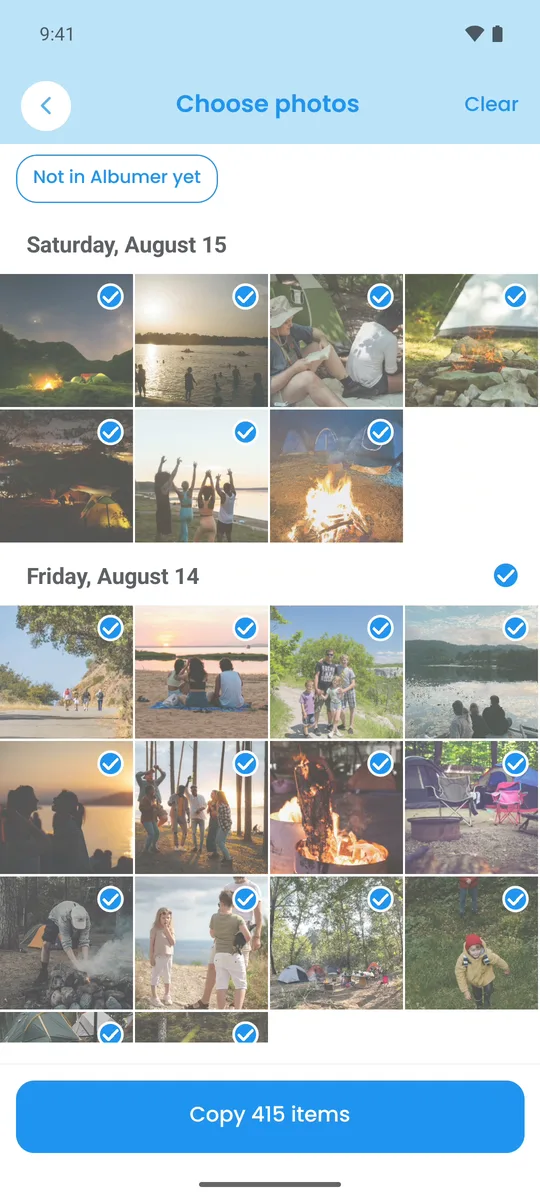
Photo storage for your whole library.
Copy the photos and videos from your phone into the Albumer Gallery. They are kept at the size you took them, and they stay on your phone too.
- Upload on Wi-Fi only, or only while charging
- Clean up: find duplicates, look-alike bursts, blurry shots, screenshots and your biggest videos
- Family library: share your Gallery with up to six people, and each person picks what they share
- Legacy contacts: up to three people who can ask to see your Gallery if you ever can't
- Monthly prints: ten photos from last month, ready to order at Walgreens
- Export everything: download every original whenever you want
- Copy any photo from the Gallery into an album
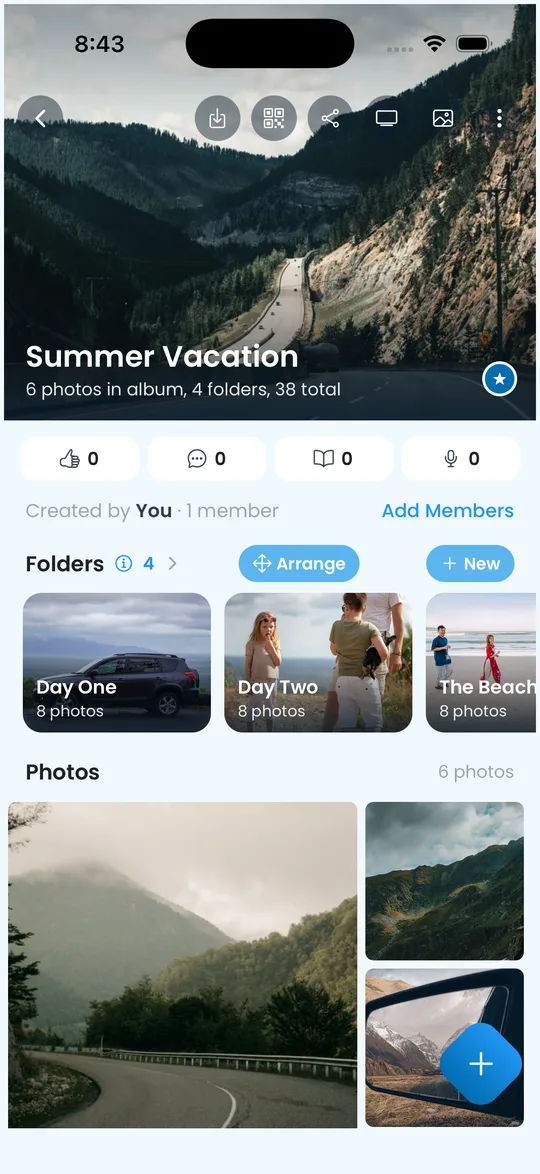
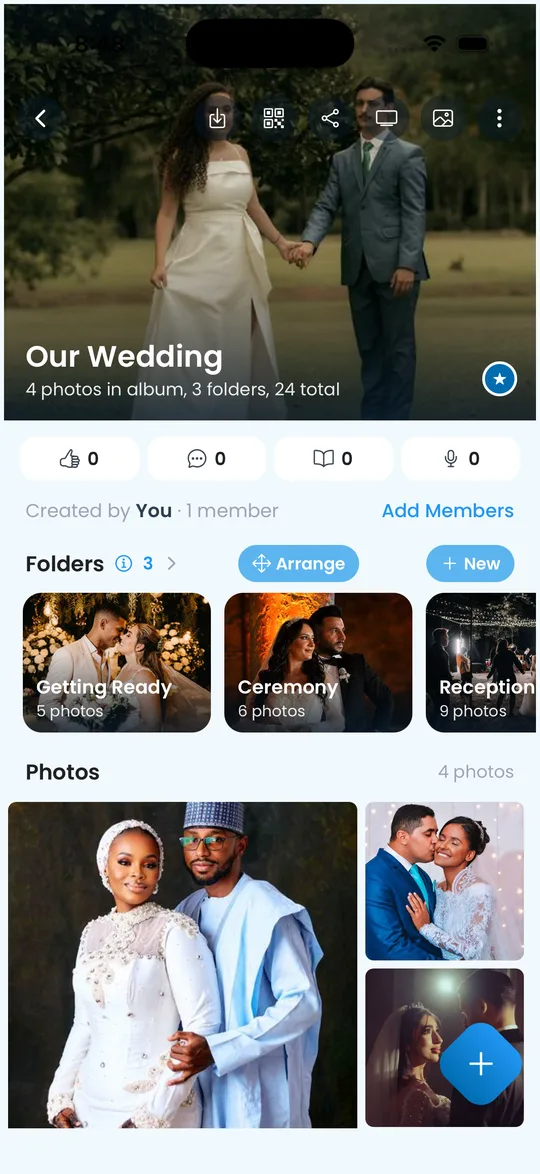
Albums everyone adds to.
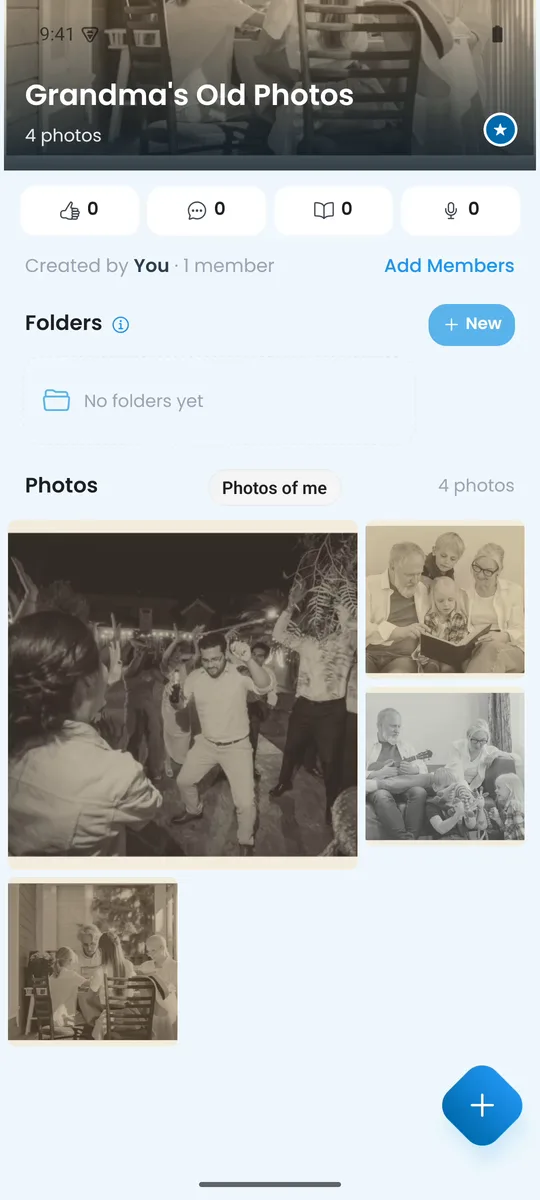
- Make an album. Add folders for each day or each part of an event.
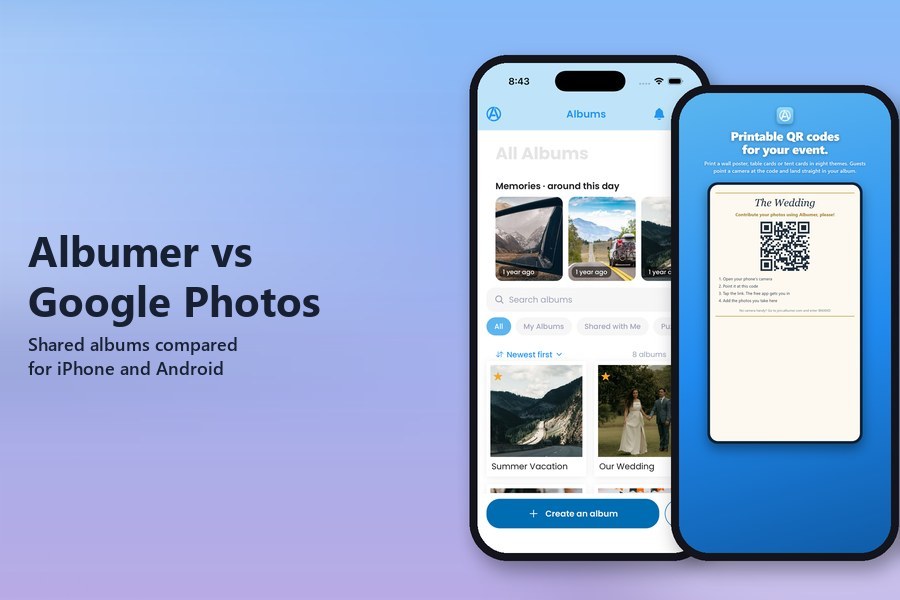
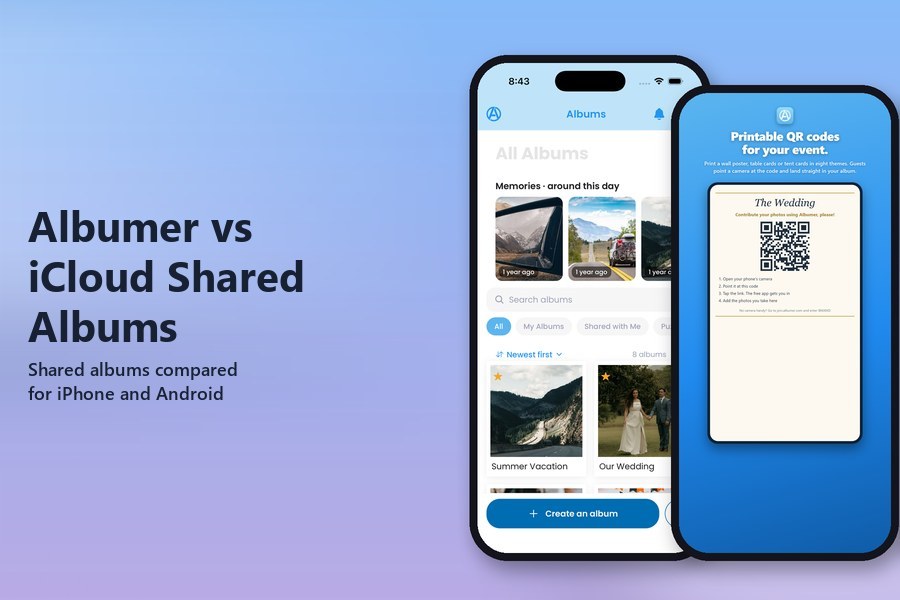
- Invite people by text, email, your phone's contacts or a QR code. Nobody sees an album unless they are invited.
- Everyone adds their photos and videos at full size, from iPhone or Android. Duplicate detection keeps the same picture from landing twice.
Comment and react on photos, add journal pages, and let people leave voice messages in the album's Voice Guestbook. Search, star and sort your albums, and save a whole album to your phone any time.
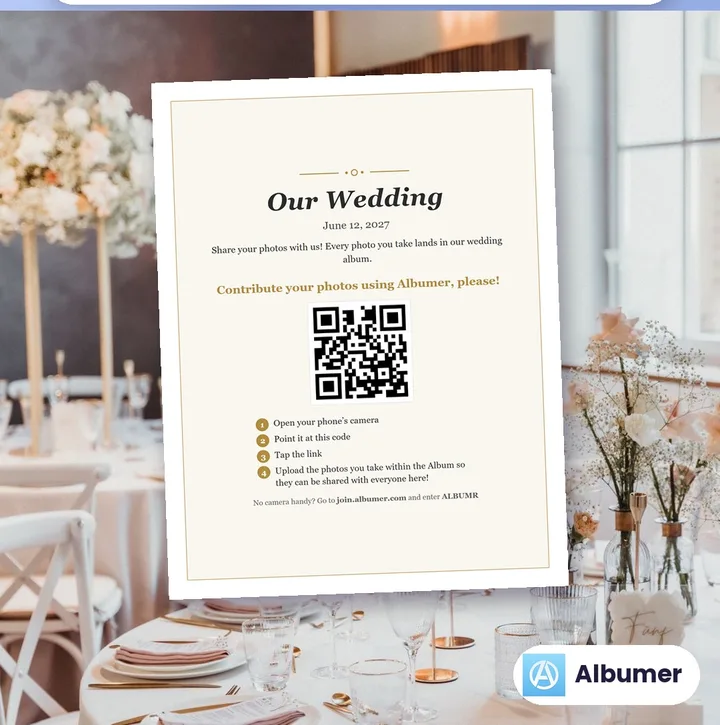
A QR code sign for every table.
Make an event for a wedding, party, reunion, school or team, and print its QR code as a wall poster, table cards or tent cards that stand on their own. Choose from eight themes: Elegant, Party, Spooky, Classic, Floral, Rustic, Retro and Festive. You can also download the QR code by itself.
- Guests scan the code, get the free Albumer app, and add their photos to your album
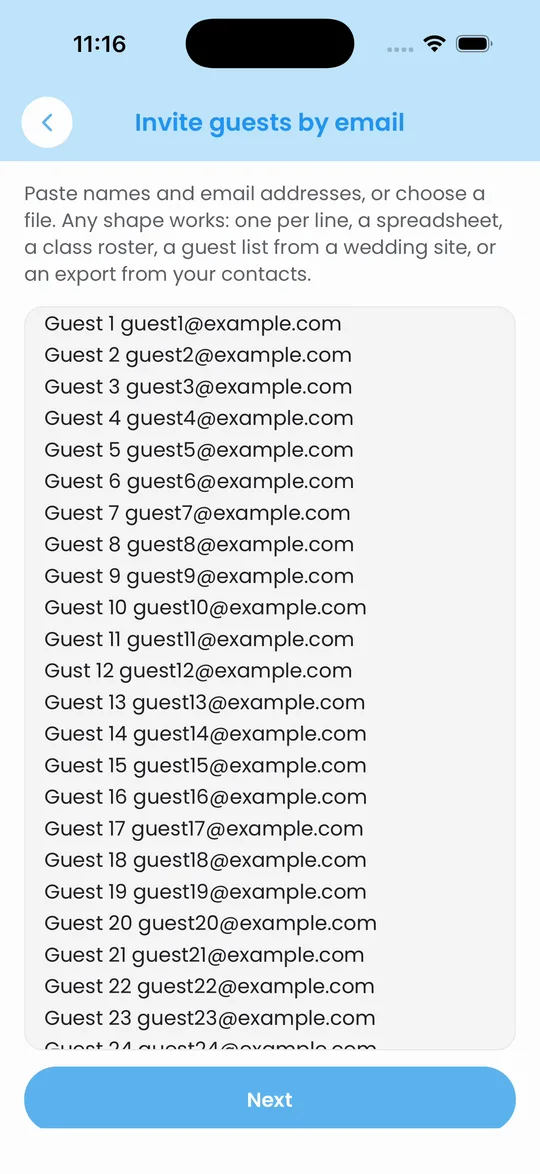
- Paste in a guest list or add it from a file, then send every invite at once
- Play the album on a TV during the event
Your photos on the TV, a frame and your home screen.

Cast to TV
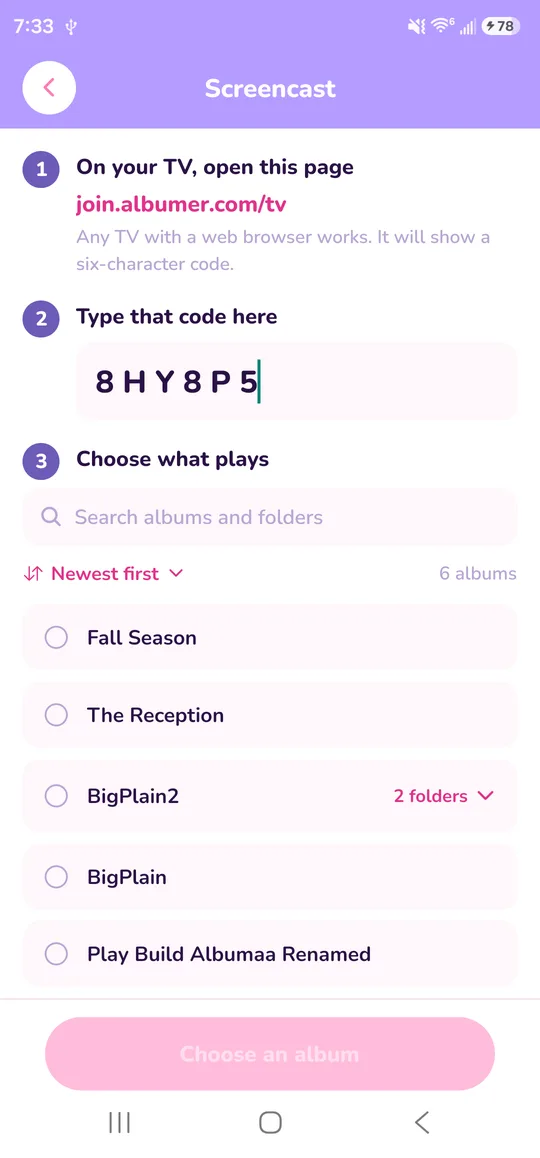
Open join.albumer.com/tv in the web browser on any TV, type the code it shows into the app, and pick an album. It plays as a slideshow, and photos people add to that album join it while it plays.
Frames
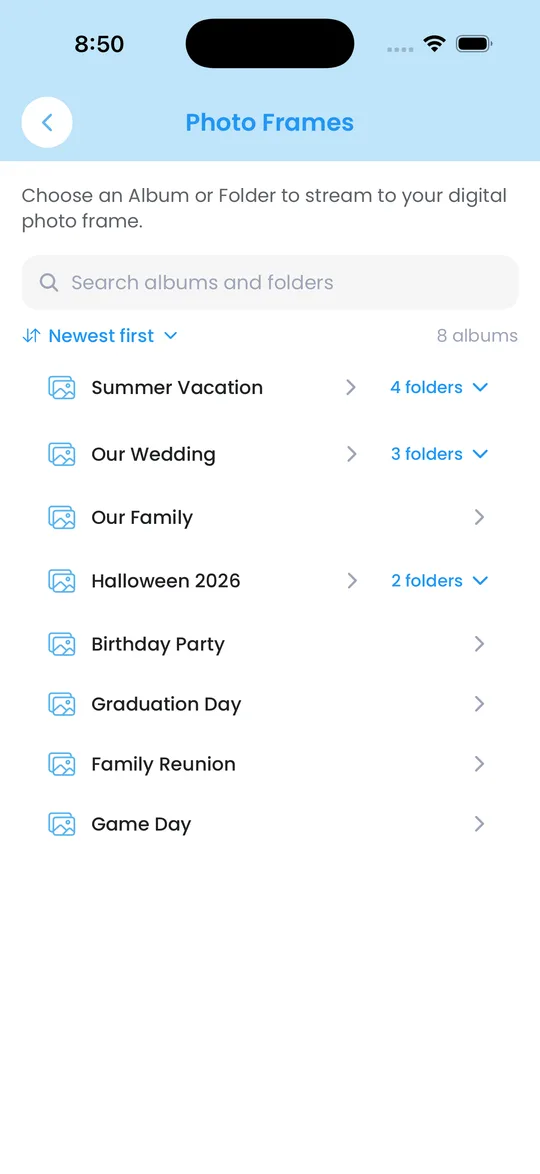
Pick an album or folder and Albumer sends its photos to a digital frame that has its own email address, like Aura or Skylight. Photos your family adds to that album go to the frame too.
Widget
Add the Albumer widget to your iPhone or Android home screen and choose an album. It shows that album's photos and updates every 20 to 30 minutes.
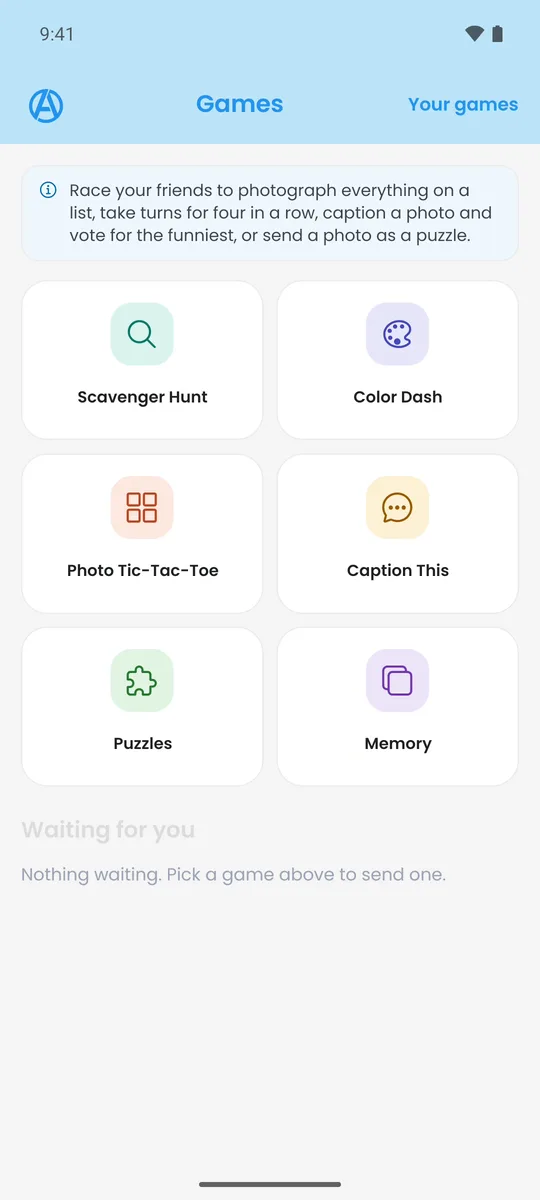
Games made from your photos.
- Jigsaw puzzles. Turn a photo into a puzzle and send it: easy, tricky or evil.
- Memory. A matching game made from your own photos.
- Photo Tic-Tac-Toe. Take turns photographing things to claim squares on a 5 by 5 board. Four in a row wins.
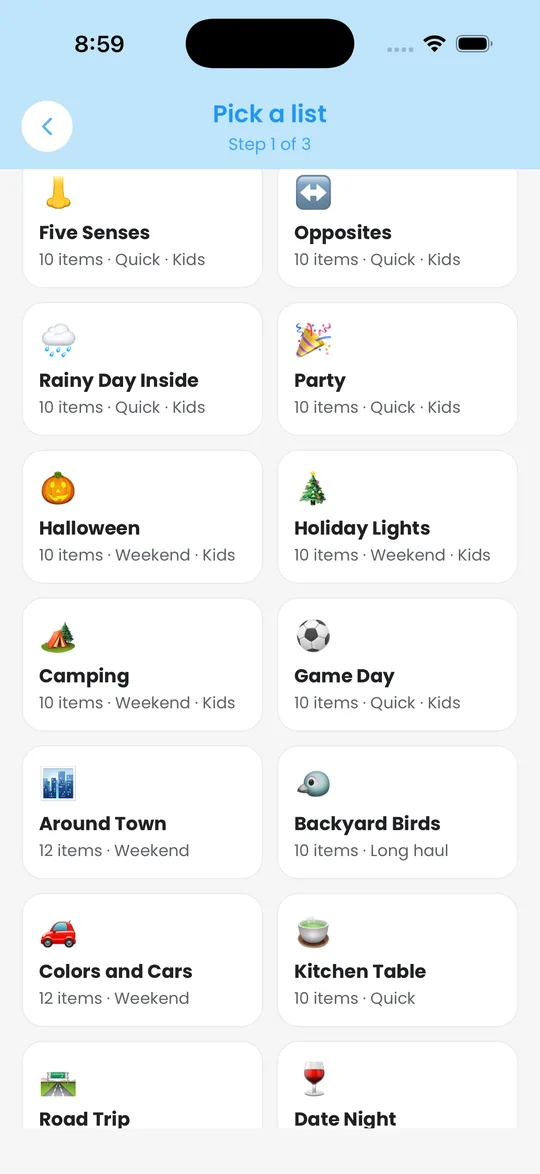
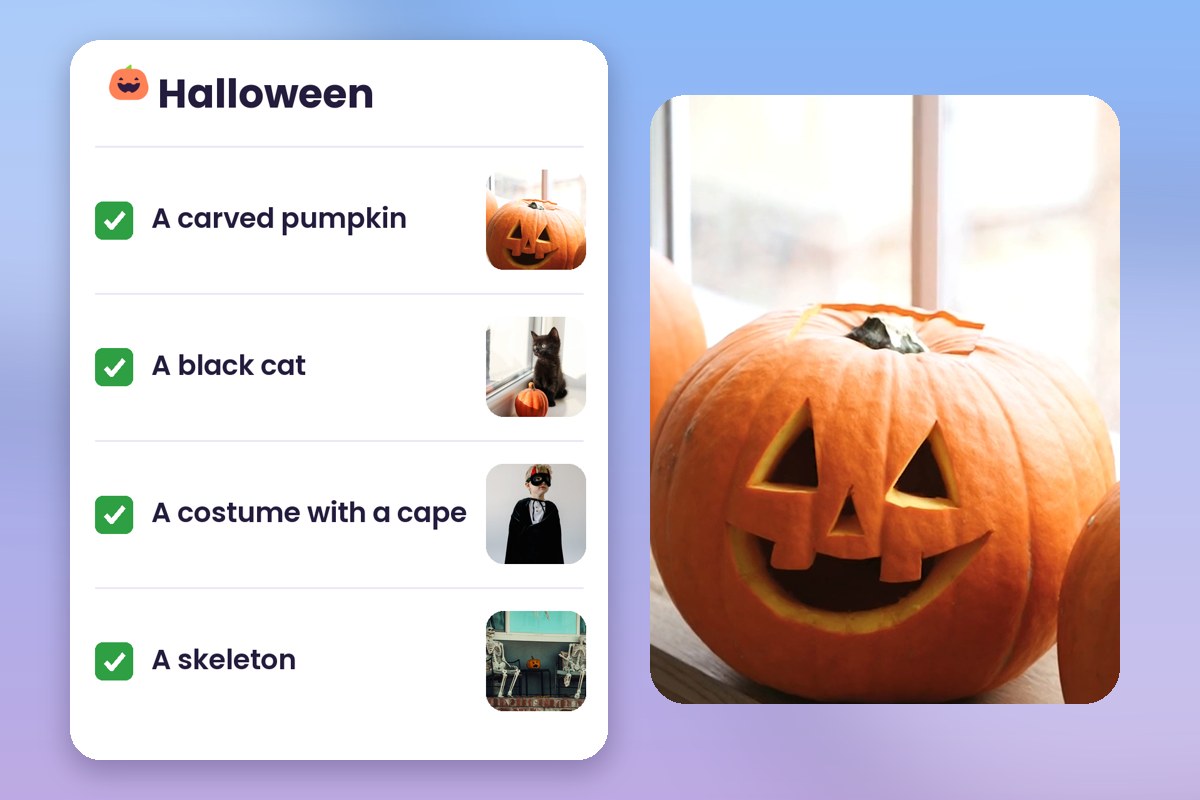
- Photo scavenger hunt. Pick a list and check off each item by taking a photo of it.
- Color Dash. One color and a clock. Photograph as many things in that color as you can before time runs out.
- Caption This. The host puts up a photo, everyone writes a caption, and everyone votes.
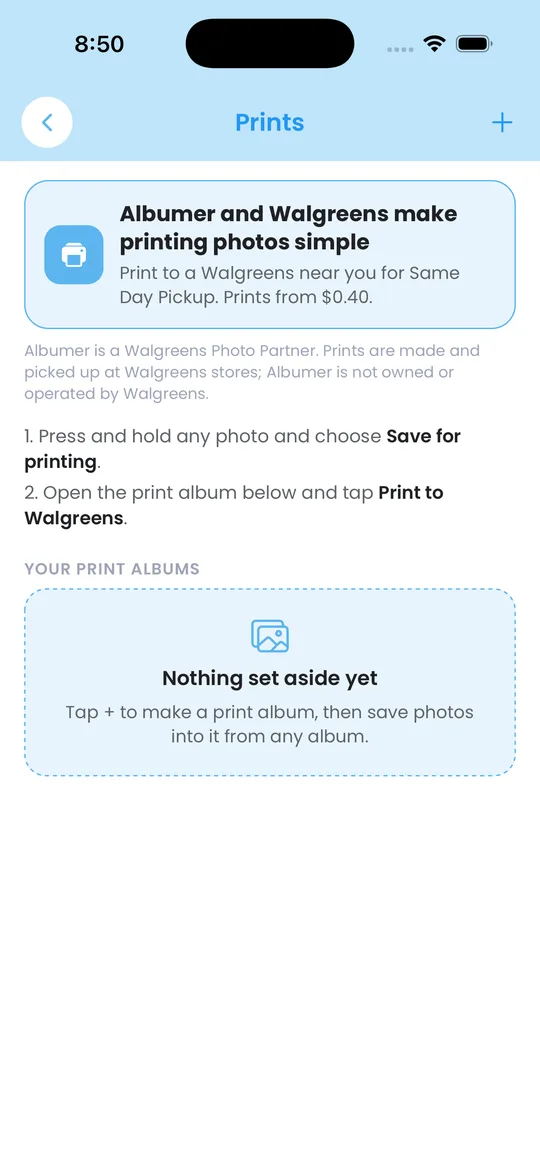
Print to a Walgreens near you.
Albumer and Walgreens make printing photos simple. Add photos to a print list, choose your sizes, pick the store nearest you, and place the order in Albumer for Same Day Pickup. You pay at the store when you pick them up.
Prints are made and picked up at Walgreens stores. Albumer is not owned or operated by Walgreens.
Edit, scan, make and share more.
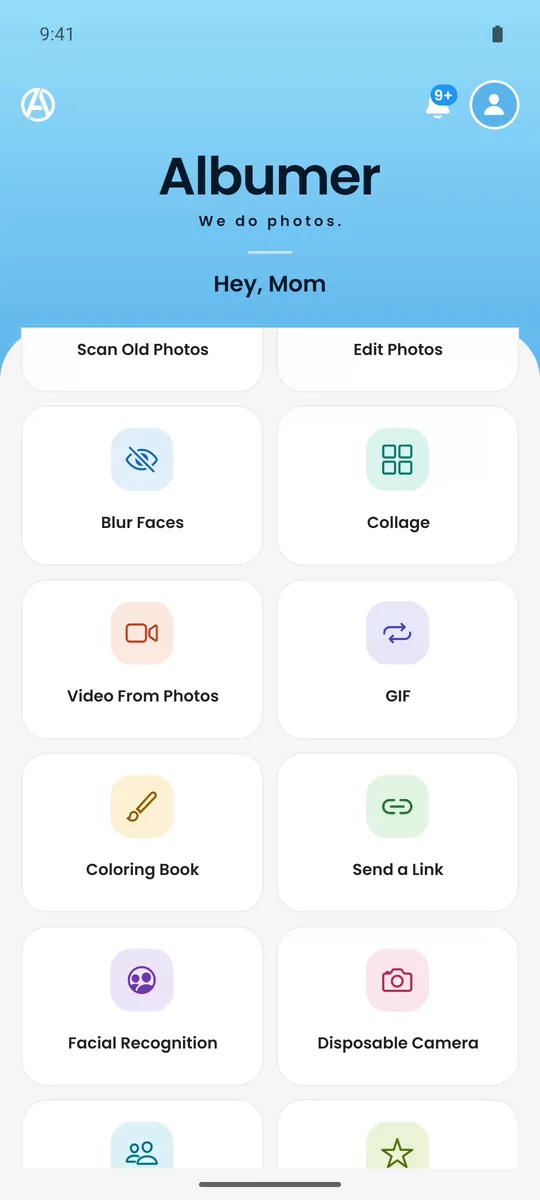
Edit Photos
Crop, rotate, straighten and flip. Mark up with a pen, highlighter, shapes, arrows and text. Remove the background. Revert to the original any time.
Blur Faces
Albumer finds the faces in a photo on your phone. Tap a face to blur or unblur it.
Scan Old Photos
Scan printed photos with your camera. Edges are found and glare is cleaned up, and each scan goes into your Gallery.
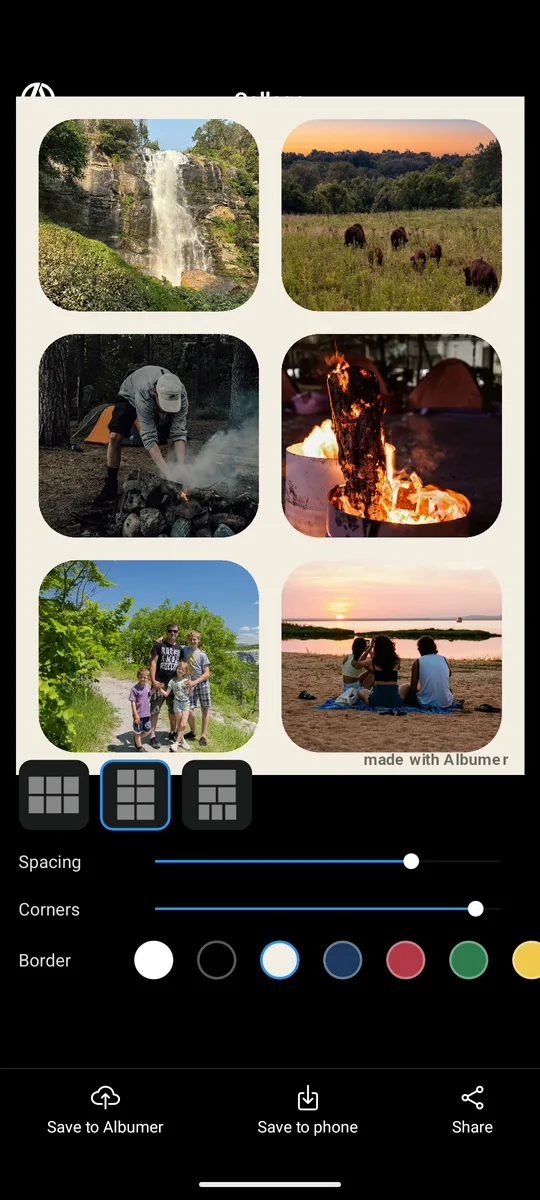
Collage
Put 2 to 9 photos in one layout. Choose the spacing, corners and border color.
Video From Photos
Turn photos and clips into a video with transitions, a title card, captions and music.
GIF
Turn 2 to 30 photos into a looping GIF.
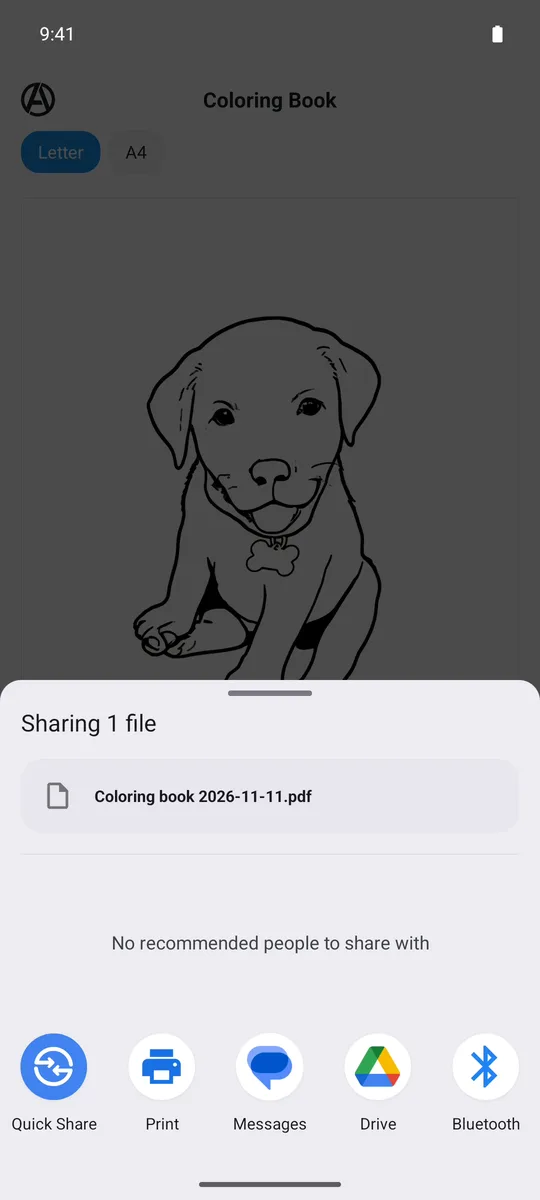
Coloring Book
Turn photos into coloring pages and save them as a printable PDF.
Send a Link
Send photos as a link that opens in any web browser.
Facial Recognition
Groups your photos by the people in them, on your phone. Name people and see every photo of them.
Disposable Camera
An event where nobody sees the photos until it ends. Then everyone sees them at once.
Free to start. Room to grow.
Free
Includes
- Shared albums and folders, on iPhone and Android
- Invites by text, email, contacts or QR code
- Events with printable QR code signs
- The Gallery for your phone's photos
- TV slideshow, home screen widget and digital frames
- Photo games
- Walgreens prints
- Journal pages and Voice Guestbook
- Video clips up to 3 minutes
- With ads
Basic
Everything in Free, plus
- No ads, anywhere
- Videos up to 5 GB each (about 35 minutes of HD)
- Edit Photos: crop, rotate, straighten, flip, markup, remove background
- Blur Faces
- Scan Old Photos
- Collage
- Video From Photos and GIF
- Coloring Book
- Send a Link
- Facial Recognition
- Disposable Camera events
Premium
Everything in Basic, plus
- 4x the storage of Basic
- Add more storage 50 GB at a time
Also includes
- No ads, anywhere
- Videos up to 5 GB each (about 35 minutes of HD)
- Edit Photos, Blur Faces, Scan Old Photos and Collage
- Video From Photos, GIF and Coloring Book
- Send a Link, Facial Recognition and Disposable Camera events
Prices shown in US dollars. Prices and storage sizes vary by country, and your local price is shown in the app before you buy. Subscriptions are billed through the App Store or Google Play and renew each year until you cancel.
Storage prices compared
US prices, checked November 14, 2026.
| App | Free storage | 50 GB | 100 GB | 200 GB |
|---|---|---|---|---|
| Albumer | 5 GB | $9.99 a year (Basic) | Not offered | $29.99 a year (Premium) |
| Apple iCloud+ | 5 GB | $0.99 a month ($11.88 a year) | Not offered | $2.99 a month ($35.88 a year) |
| Google One | 15 GB | Not offered | $1.99 a month or $19.99 a year | Not offered |
| Amazon Photos | 5 GB (unlimited photos with Prime) | Not offered | $1.99 a month | Not offered |
Albumer plans also include no ads, the pro tools, and everything above: shared albums, events, TV, frames, the widget, games and prints. Sources: apple.com/icloud, one.google.com/about/plans, amazon.com Amazon Photos.
You got pictures. We got answers.
Is Albumer free?
Yes. Albumer is free on the App Store and Google Play, with 5 GB of storage and ads. Albumer Basic is $9.99 a year with 50 GB, and Albumer Premium is $29.99 a year with 200 GB. Both remove ads and add longer videos and the pro tools. Prices are in US dollars and vary by country.
Does Albumer work between iPhone and Android?
Yes. Albumer works the same on iPhone and Android, so people with both kinds of phones can share the same albums and add their own photos.
Does Albumer shrink my photos?
No. Albumer keeps your photos at the size you took them. There is an optional setting that saves space with smaller photos if you want it.
Do guests need to download the app?
Yes. Guests add photos with the free Albumer app for iPhone or Android. When they scan your QR code sign, it takes them to the App Store or Google Play first if they don't have Albumer yet, and then to your album. The album is on their phone afterward, with everyone's photos.
What happens to the photos I copy into the Gallery?
They are stored in your Albumer account at full size and count toward your plan's storage. Copying does not delete anything from your phone.
Who can see my albums?
Only the people you invite. Nobody sees your album unless you invite them.
Can I show my album on a TV?
Yes. Open join.albumer.com/tv in the web browser on any TV, type the code it shows into the app, and pick an album. It plays as a slideshow, and new photos join it as people add them.
We do photos.
Get Albumer free on the App Store for iPhone and on Google Play for Android.